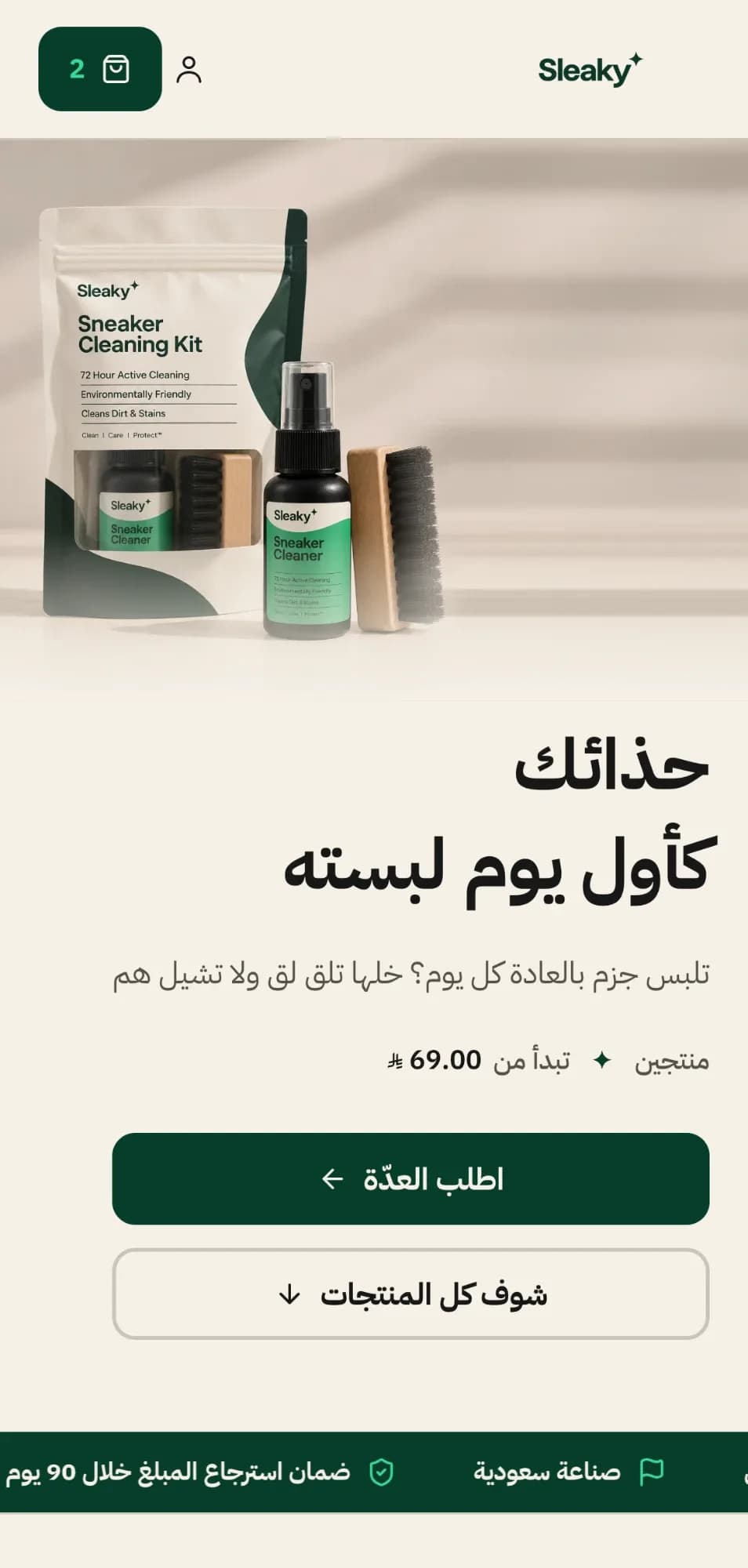
Building an online store with AI means you write a description of what you sell and the system builds a complete store from it: the name, colours, fonts and pages, plus sample products that show you how the store looks. It takes minutes, and you edit it afterwards in plain words. What AI does not do for you is everything that belongs to your business itself: the legal paperwork, payment activation, and your own products, prices and photos.
We are Uqail, and our platform builds stores this way, so this post explains it from the inside: what you actually get, where the limits are, and how to write a brief that works the first time.
What does the AI build for you?
In Uqail you start with one of three things: a sentence about what you sell and who it is for, a link to your current store, or photos you upload. From that you get:
- The store's identity: name, colours and fonts.
- The pages: a complete store, not an empty template.
- Sample products with stock photos, so you can see the store before adding your own. They go away when you publish, and you add the photos for your own products.
- A check before you see it: how the store looks on phones and computers, and a test purchase all the way through payment.
- Arabic first: the store is built in Arabic, and you add English, French and Turkish in one click.
What can AI not do?
| Job | Who does it | Why |
|---|---|---|
| Designing the store and its pages | The AI, with you reviewing | Your description is enough to start, and your edits finish it. |
| Commercial registration or a freelance certificate | You | A document issued in your name by the authority. See online store requirements. |
| Activating card payments | You | An application with your documents and bank account. Compare the options in payment gateways in Saudi Arabia. |
| Your products, prices and stock | You | Nobody knows them but you. You enter them by hand or import them. |
| Photos of your products | You | Stock photos are for the sample products only. |
| Store policies | You review | The suggested text is a starting point, not a legal review. |
| Marketing and bringing customers | You | A finished store does not bring its own visitors. |
A store built in minutes is not a store selling in minutes. Before you publish you need at least one product of your own, and before your first card payment you need payments activated.
AI or a ready-made template: what is the difference?
| Aspect | A template | Built with AI |
|---|---|---|
| Starting | Pick a template, then fill it with your content | Describe your store and it is built around that |
| Editing | Through the template's settings; anything beyond them needs a designer or developer | In plain words, or by clicking a part and saying what you want |
| The result | Predictable: you know how it looks before you start | Particular to your store, and it needs your review, since the first result may not be what you pictured |
| Suits | Someone who found a template they like as it is | Someone who knows what they want and can describe it, without learning design tools |
Neither is always better. If you find a template that matches what you want, it is the shortest road. If you have a clear picture of your store and no template has it, describing it is faster than bending a template. The platforms themselves are compared in the best e-commerce platform in Saudi Arabia.
How do you write a brief that gets a good store?
A good brief answers three questions: what you sell, to whom, and in what style. Compare:
- A generic brief: 'A perfume store.' The result is a perfume store like any other.
- A good brief: 'A store for concentrated Arabian perfumes with our own blends, for men and women who love oud and musk, in a quiet luxury style with dark colours and a touch of gold.' The result is a store with a character.
After the first result, edit the same way: say clearly what should change ('make the product photos on the home page bigger', 'change the buttons to dark green'), and change one thing at a time so you can see what each edit did.
What comes after the store is built?
- Review the store on a phone first, since that is where most of your customers will buy.
- Change what you do not like in plain words. Every edit saves a version, and you can go back to any earlier one.
- Add your products: by hand, by importing them from your Salla, Zid or Shopify store link, or from a CSV or Excel file. The steps are in adding products.
- Publish when you like it. The publishing steps are in the help centre.
- Finish what the AI does not build: the legal document, payment activation, shipping. The full order is in how to start an online store in Saudi Arabia.
What does building a store with AI cost in Uqail?
Uqail has no monthly subscription. The fees are on each successful card payment: mada 1% + SAR 1, Saudi cards 2.4% + SAR 1, and international cards 4% + SAR 1, excluding VAT, with nothing charged on cash on delivery. Building and editing with AI draw on a monthly allowance, shown as a percentage under Settings, then Plan, and when it runs out the AI work stops until the next month. The numbers are on the pricing page, and you can try it with one sentence.